Arduino Frequency Counter Kit with 16×2 LCD Display
SKU:Model number: GM1602A
Resolution: 16*2
Operating temperature: -20 to 70℃
Pins: 16
Display Size: 1602
₹1,262.60 ₹2,000.00

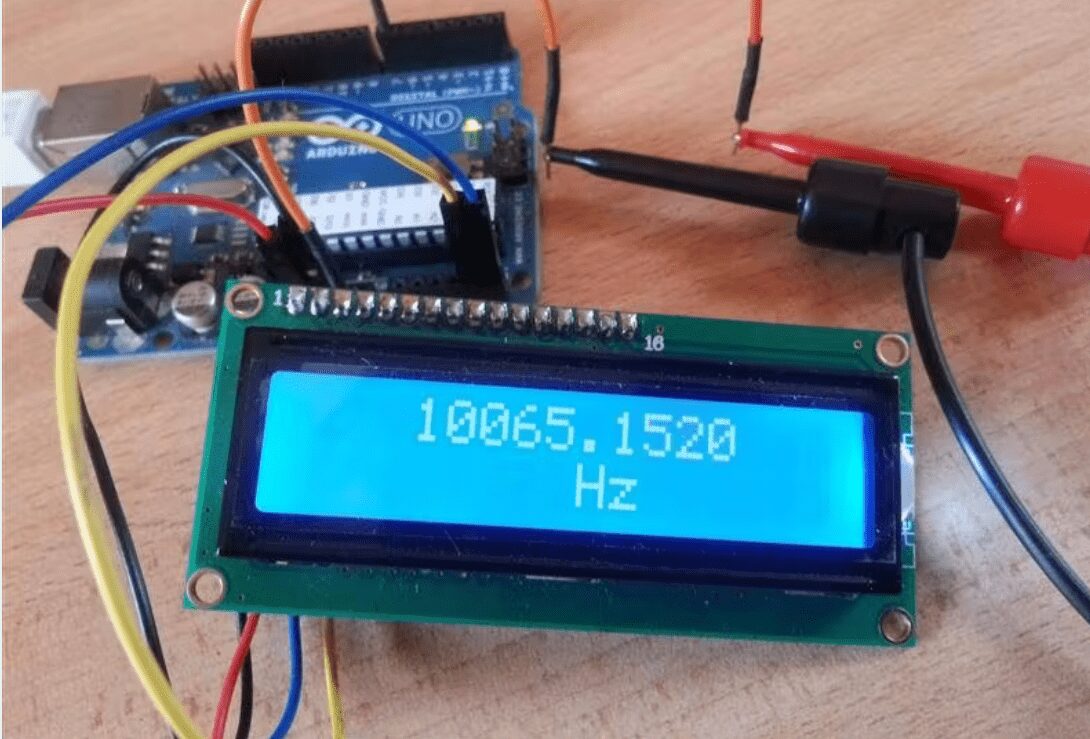
Arduino Frequency Counter Kit with 16×2 LCD Display
Frequency Counter, as the name indicates, is an electronic device or component, which is used to measure the frequency of a signal. In case of a repetitive electronic signal, a frequency counter measures the number of pulses in that signal.
We generally use an oscilloscope to depict the signal, calculate the time period of the signal and finally convert it to calculate the frequency of the signal. But, oscilloscopes are very expensive and everyone cannot afford it.
Hence, a simple Digital Frequency Counter can be built which might come in handy to measure the frequency of a clock signal, for example.
In this project, an Arduino based Digital Frequency Counter is designed to measure the frequency of an incoming signal.
Circuit Diagram: –
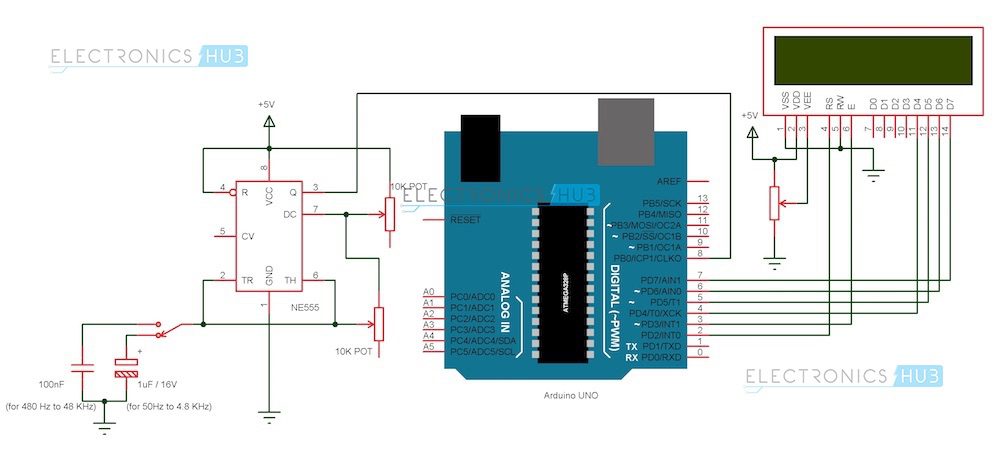
Arduino Frequency Counter Circuit Diagram
Components
Arduino Part
(AI0001) Arduino UNO
(AI0006) 16 X 2 LCD Display
(AI0046) Prototyping Board
(AI0380) Connecting wire
Signal Generator Part
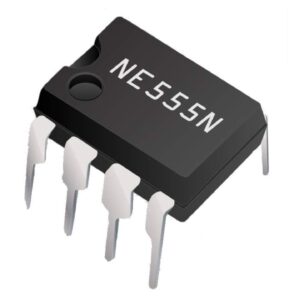
(AI0173) NE555 Timer IC
(AI0174) 10 KΩ Potentiometer x 1
(AI0869) 100 nF Capacitor (Code: 104)
(AI0868) 1 µF / 16V Electrolytic Capacitor
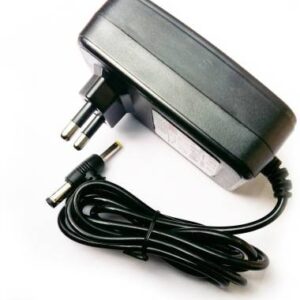
(AI0082) 5V Power Supply (12V is not suitable as it might damage Arduino board).
Circuit Design
The design of the Frequency Counter using Arduino UNO can be divided in to two parts: The Arduino part, where the processing of the signal’s information takes place and the Signal Generator part, where the signal whose frequency to be measured is generated.
Arduino Circuit
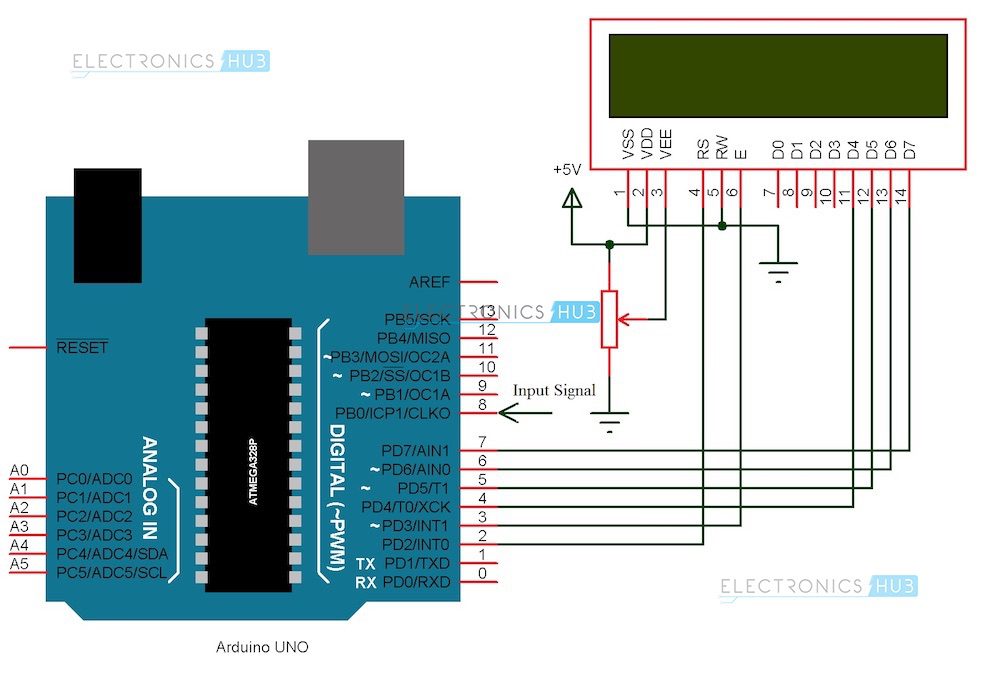
Arduino part of the project consists of Arduino UNO board and a 16 X 2 LCD Display. Pins 1 and 2 of the LCD (Vss and Vdd) are connected to ground and 5V supply respectively. Pin 3 (Vee), which is used to adjust the contrast of the display, is connected a Potentiometer.
Pins 4 and 6 (RS and E) of the LCD are connected to digital I/O Pins 2 and 3 of the Arduino. Pin 5 (RW) of the LCD is connected to ground.
Pins 11 to 14 (D4 to D7) i.e. the data pins of the LCD are connected to the digital I/O pins 4 to 7 of Arduino. Pins 15 and 16 of the LCD are supply pins of the backlight LEDs and are connected to ground and 5V (Pin 16 to 5V through a 1KΩ resistor) respectively.
Features
6 characters wide, 2 rows
White text on the yellow background
Single LED backlight included can be dimmed easily with a resistor or PWM.
Can be fully controlled with only 6 digital lines! (Any analog/digital pins can be used)
Specification
| Model | JHD 16×2 |
|---|---|
| Characters | 16 |
| Character Color | White |
| Backlight | Blue |
| Input Voltage (V) | 5 |
| Length (mm): | 80 |
| Width (mm): | 36 |
| Height (mm): | 14.5 |
| Weight (g): | 30 |
Applications
A simple frequency counter, using simple components is designed that can be used to measure the frequency of a pulse without the need of an oscilloscope.
Multiple ranges of frequencies can be measured by selecting suitable components.
Frequencies of all types of test signals can be calculated by adding a Schmitt Trigger between the generated signal and Arduino.
Arduino Frequency Counter Kit with 16×2 LCD Display Overview
The Arduino Frequency Counter Kit with 16×2 LCD Display (Model GM1602A) is a compact, Arduino-based instrument designed to measure the frequency of repetitive electronic signals. Its built-in 16×2 alphanumeric LCD provides real-time pulse count readouts, making it ideal for hobbyists, students, and electronics technicians.
Key Features of Arduino Frequency Counter Kit with 16×2 LCD Display
- 16×2 LCD module (1602 resolution) for clear frequency display
- Arduino-based design with 16 I/O pins for easy interfacing
- Operating temperature range from –20 °C to 70 °C for versatile use
- Model GM1602A PCB assembly for reliable signal measurement
- Accurate pulse counting for clock signals and square waves
- Genuine product, fast shipping from Zbotic within 24 hours
Applications and Use Cases
- Measuring clock frequencies in microcontroller and FPGA projects
- Verifying output of signal generators and oscillators
- Testing RF modules and simple radio circuits
- Educational labs for teaching digital electronics and timing
- Calibration checks for DIY waveform and function generators
How to Use Arduino Frequency Counter Kit with 16×2 LCD Display
Assemble the kit components onto the provided PCB, then connect a 5 V DC power supply to the VCC and GND terminals. Feed your input signal into the designated frequency input pin, and the onboard Arduino-compatible microcontroller will count pulses and update the 16×2 LCD in real time. No additional modules are required—simply power up and observe the display.
| Weight | 0.30 kg |
|---|---|
| Dimensions | 24 × 11 × 7 cm |
Related products
-
Uncategorized, Tools & Accessories
PULSE Screen Cleaner Spray 200 ml (Pack of 1)
Specifications:
- Volume: 200 ml
- Pack Size: 1 bottle
- Formula: Non-abrasive, alcohol-free, ammonia-free
- Suitable for: LED, LCD, OLED, touchscreen devices, smartphones, tablets, laptops, monitors, and TVs
- Application: Spray and wipe with a microfiber cloth (not included)
- Residue: Leaves no streaks or residue, dries quickly
Applications:
- Smartphones and Tablets: Keeps screens free of fingerprints and smudges, ensuring clear visibility and optimal touch functionality.
- Laptops and Monitors: Great for cleaning the screens of laptops and desktop monitors, maintaining a professional, crisp look.
- Televisions: Perfect for use on TVs to remove dust and fingerprints without leaving streaks behind.
- Touchscreen Devices: Safely cleans all touchscreen devices, maintaining their responsiveness and appearance.
- Home and Office Use: Ideal for personal and office devices, ensuring a clean and polished environment.
SKU: n/a -
-
Uncategorized, Mechanical Parts & Workbench Tools, Tools & Accessories
Cube Aerosol Multi Purpose Spray Paint White Color 400 ml Pack of 1 (White)
-46% Uncategorized, Mechanical Parts & Workbench Tools, Tools & Accessories
Cube Aerosol Multi Purpose Spray Paint White Color 400 ml Pack of 1 (White)
Specifications:
- Color: White
- Volume: 400 ml
- Type: Aerosol Spray Paint
- Finish: Glossy, smooth, and even
- Drying Time: Dries to the touch in 15-30 minutes, fully dries in 1 hour
- Application Surfaces: Metal, wood, plastic, glass, ceramics, and more
- Coverage Area: Suitable for large surface areas with one can
Package Includes:
- 1 x Cube Aerosol Multi-Purpose Spray Paint (White, 400 ml).
SKU: n/a